How to Reverse AI Art Like a Pro with the Image-to-Prompt Tool
AI-generated images are everywhere, from fantasy portraits and cinematic scenes to producing mockups and social media graphics. Tools like Midjourney, DALL·E, Stable Diffusion, and Flux have made it easier than ever to create stunning visuals. Yet one question appears repeatedly whenever impressive AI art is shared: "What prompt did you use?"
Recreating an image without its original prompt can be frustrating. You may spend hours experimenting with keywords, lighting, composition, and artistic styles, only to end up with a completely different result.
That's where Image-to-Prompt tools come in. Instead of guessing, AI analyzes an image and generates a structured prompt describing its subject, composition, lighting, colors, and style—giving you a strong starting point for creating similar artwork.
What Does It Mean to Reverse AI Art?
Reverse AI art is the process of converting an existing image back into a text prompt. Think of it as reverse-engineering a recipe: instead of starting with ingredients, you begin with the finished result and work backward to uncover how it was created.
Image-to-prompt AI analyzes visual elements such as the subject, composition, lighting, colors, textures, perspective, and artistic style, then converts them into a prompt that works with popular AI image generators. While it won't recreate the exact original, it captures the creative blueprint behind the image.
Reverse prompting isn't about copying someone else's work—it's about learning from it. Like artists studying classic paintings, AI creators can analyze successful images to understand the techniques behind them and use those insights to develop their own style.
Because prompts are the foundation of AI art, understanding how they influence mood, composition, and style gives you greater creative control while dramatically reducing trial and error.
Meet ImaginPrompt's Image-to-Prompt Tool
ImaginPrompt's Image-to-Prompt tool makes reverse-engineering AI artwork fast and accessible. Upload an image, select your target AI model, and the tool analyzes the visual elements, such as composition, lighting, colors, style, and camera perspective, to generate a detailed, reusable prompt. You can then edit, refine, or expand the prompt before using it to create new AI-generated artwork.
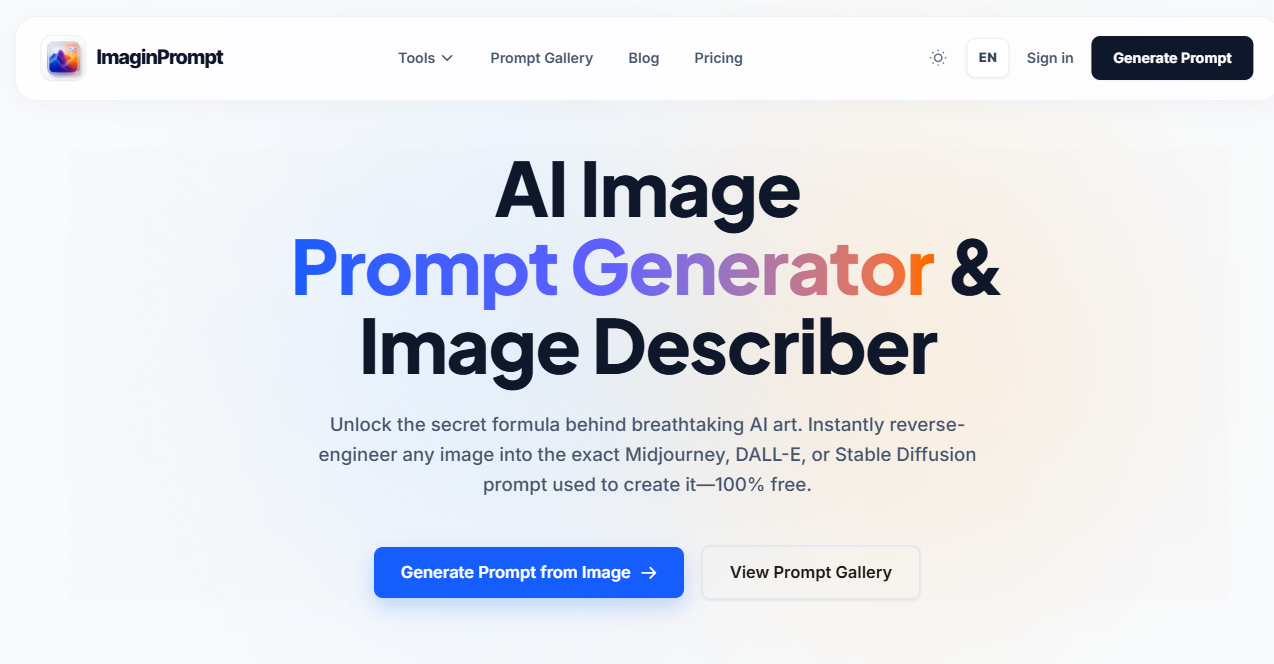
One of its standout strengths is its support for multiple AI ecosystems. Rather than producing a one-size-fits-all prompt, ImaginPrompt formats the output for the model you choose, including Midjourney v6, DALL·E 3, Stable Diffusion, Flux, Leonardo AI, Adobe Firefly, Imagen 2, and more.
Since each image generator interprets prompts differently, model-specific formatting helps produce more accurate and consistent results. The tool also generates negative prompts where supported, further improving output quality for models like Stable Diffusion.
How Image-to-Prompt AI Works
Image-to-prompt AI uses advanced computer vision to analyze an image and convert its visual elements into a detailed text prompt.
Rather than simply recognizing "a person," it can identify details like "a young woman with silver hair wearing futuristic armor in a neon-lit cyberpunk alley." It also analyzes composition, camera angle, lighting, textures, colors, and artistic style.
The AI detects elements such as:
- Subject: People, objects, and environments
- Composition: Close-up, wide shot, overhead, centered framing
- Lighting: Natural light, golden hour, rim lighting, dramatic shadows
- Color palette: Warm, cool, monochrome, or high-contrast tones
- Style: Photorealistic, anime, watercolor, oil painting, cinematic, and more
These insights are combined into a structured prompt that may include the subject, scene, style, lighting, composition, image quality, and even negative prompts. The result is a strong foundation for recreating or reimagining the original artwork with your preferred AI image generator.
Step-by-Step Guide: Reverse AI Art Using ImaginPrompt
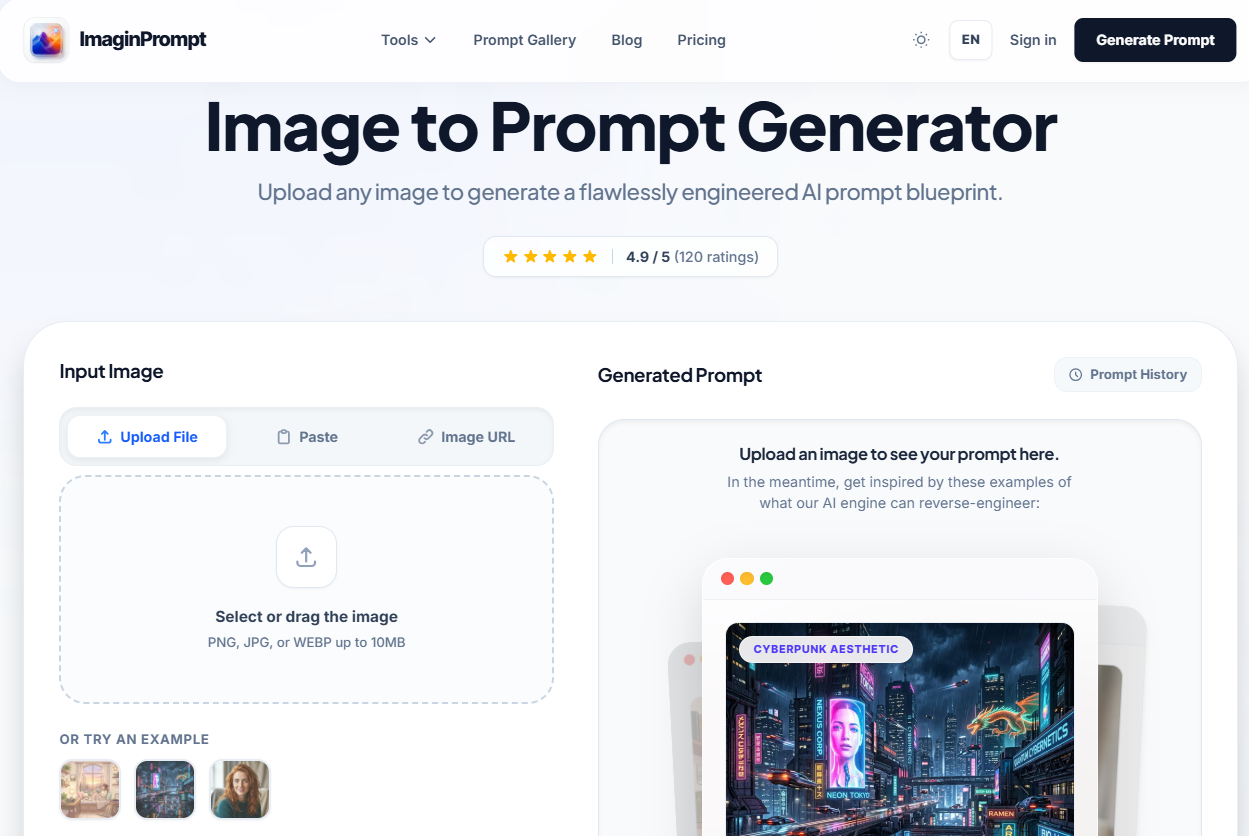
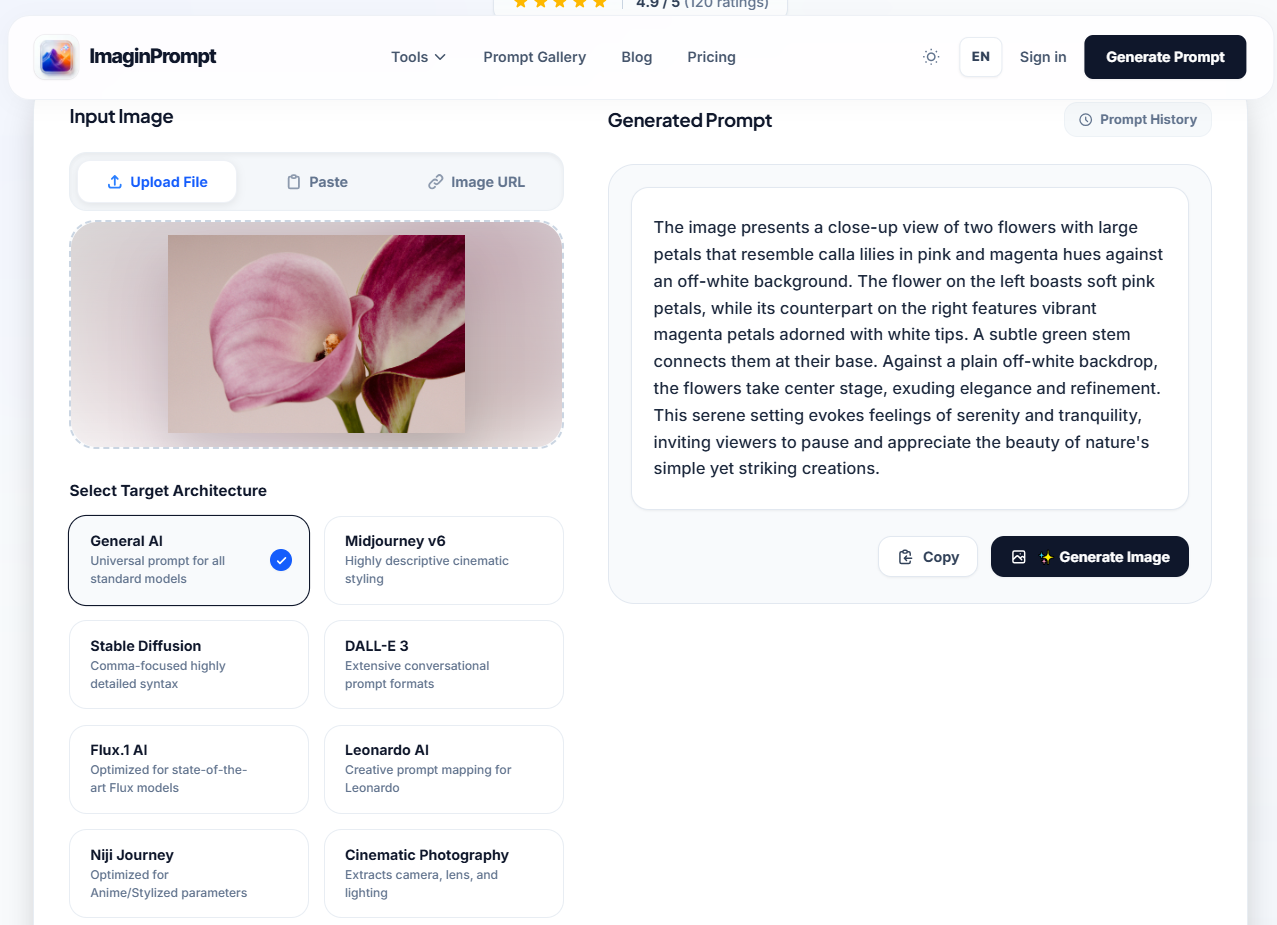
- Step 1: First, upload the AI artwork you want to analyze. Once on the ImaginPrompt's page, upload the image you want to convert into a prompt on the left side of the page.
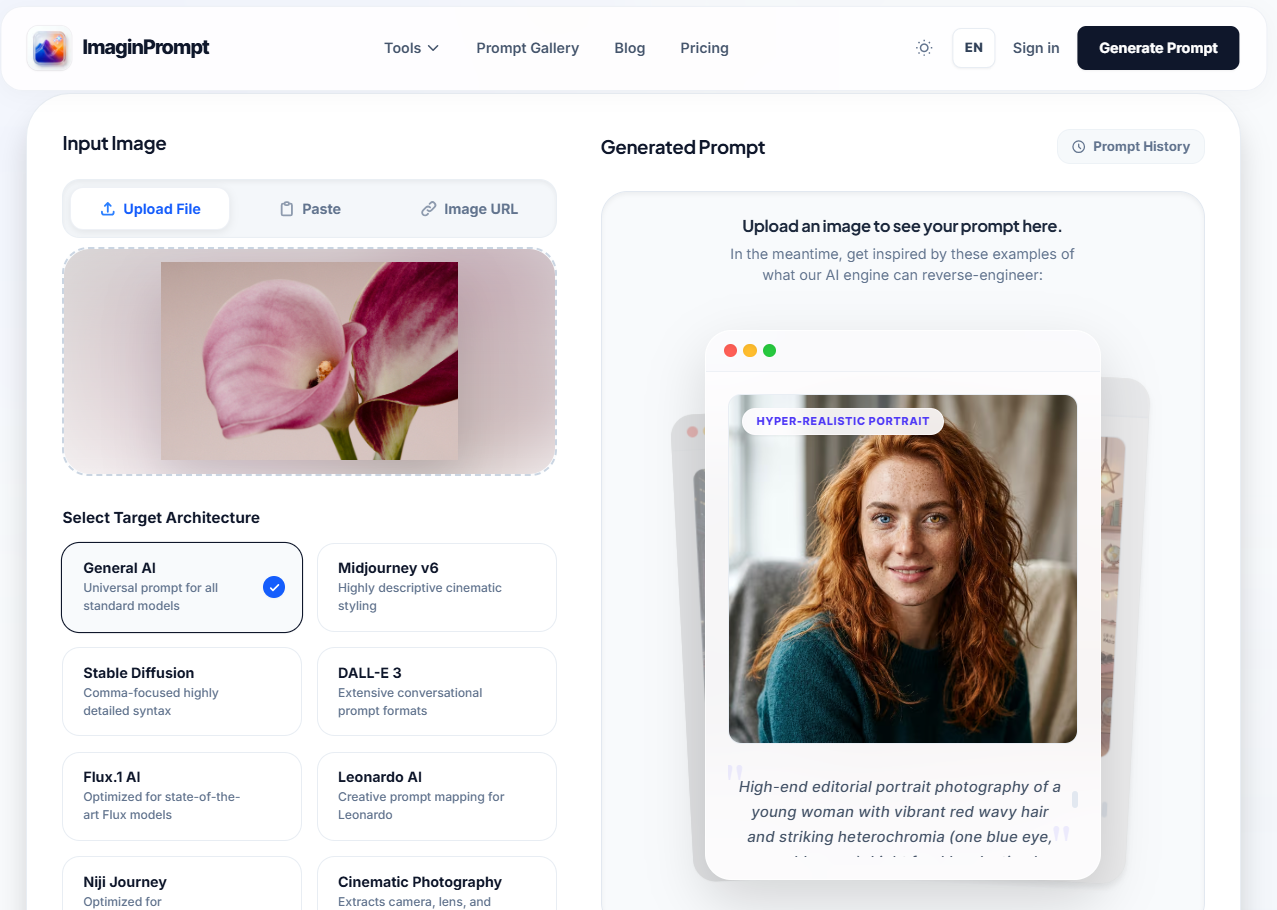
- Step 2: Select the target AI model. Below the image upload box. Each model has its own specific prompt preferences.
- Step 3: Next, select the model's processing speed—choose either "Fast" or "Advanced." Then, select the language for the output prompt.
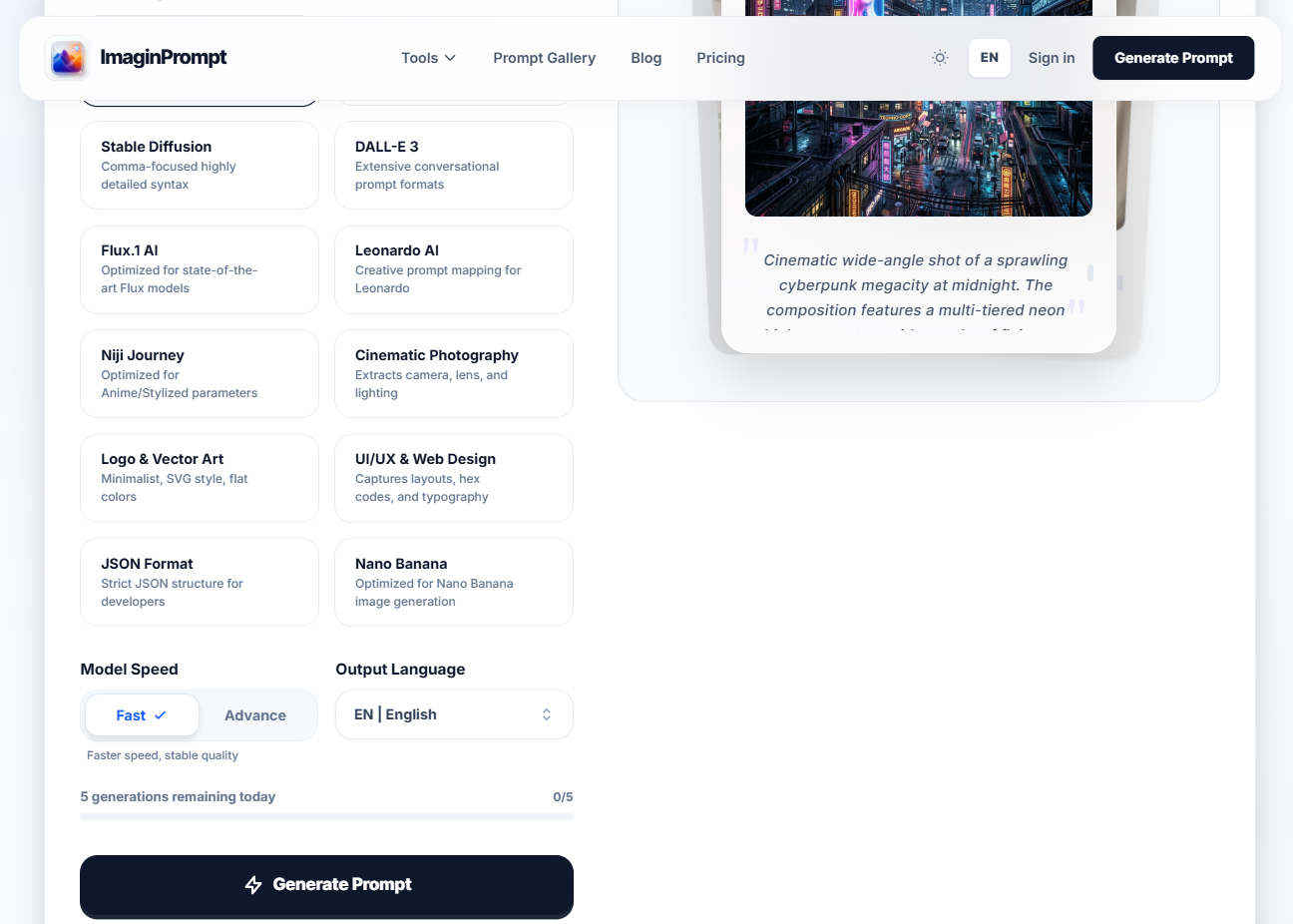
- Step 4: Generate the reverse prompt. Click "Generate Prompt." The AI will analyze the image and generate a detailed prompt. This usually takes just a few seconds. You'll see descriptions of the subject, environment, lighting, style, and other visual elements.
- Step 5: Use the prompt. Below the "Generate Prompt" box, select "Copy" to copy the prompt, or click "Generate Image" to create an image.
Breaking Down an AI Prompt
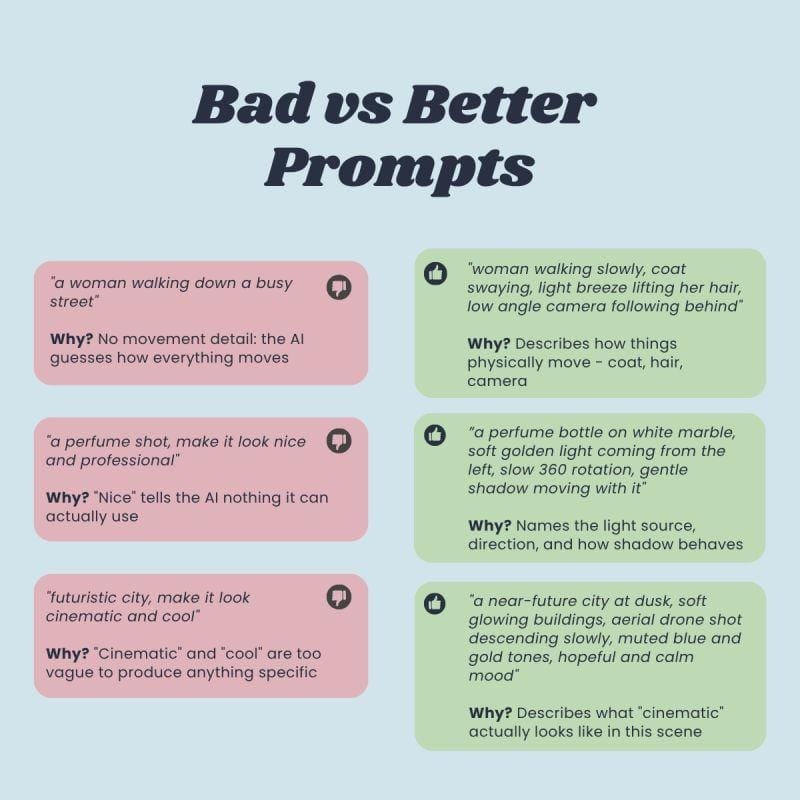
A good AI prompt tells the image generator exactly what to create. Understanding its key parts makes it much easier to refine reverse-generated prompts.
- Subject: The main focus of the image, such as a futuristic samurai, a golden retriever puppy, or a luxury sports car. More specific descriptions usually produce better results.
- Environment: The background and setting that establishes context and atmosphere, whether it's a peaceful forest or a neon-lit cyberpunk city.
- Lighting & Composition: Details like golden hour lighting, dramatic shadows, close-up portrait, or wide-angle shot shape the mood and visual impact.
- Style & Quality: Defines the artistic direction with terms like photorealistic, anime, oil painting, cinematic concept art, or 8K ultra-detailed.
- Negative Prompts: Specify what to avoid, such as blurry faces, extra limbs, distorted hands, or low-quality textures, resulting in cleaner, more polished images.
Together, these elements form a complete prompt that can recreate the style and feel of an image while giving you the flexibility to customize the final result.
Practical Use Cases Image-to-Prompt Tool
Image-to-Prompt tool helps artists, marketers, and businesses work faster.
Creators can recreate viral AI artwork, study successful prompts, and learn prompt engineering by analyzing high-quality images instead of relying on trial and error.
Brands use reverse prompting to maintain a consistent visual style across campaigns, while marketers can build reusable prompt libraries to create new content more efficiently.
Reverse AI Art Across Popular Image Models
Each AI image generator interprets prompts differently, so a prompt that works well in one model may need adjustments for another.
- Midjourney: Performs best with descriptive, artistic prompts that emphasize composition, mood, and visual style.
- DALL·E: Excels at understanding natural language, making conversational prompts highly effective.
- Stable Diffusion: Supports advanced customization through prompt weighting, negative prompts, and model-specific parameters.
- Flux: Produces highly realistic results when prompts clearly describe lighting, textures, and photographic details.
ImaginPrompt simplifies this process by generating prompts optimized for your chosen model, making it easy to recreate and refine images across different AI platforms without manually rewriting prompts.
Manual Prompt Writing vs. AI Image-to-Prompt
For experienced creators who know exactly what they want, manually writing prompts still has its advantages. However, “image-to-prompt” AI technology can significantly reduce the time it takes to find the ideal starting point. For many users, the ideal workflow is to have the AI generate an initial prompt and then manually optimize it.
Many creators follow a simple process: analyze → optimize → generate. Saving successful prompts to a personal library can also speed up the processing of subsequent projects. Some artists use AI tools to further optimize prompts before generating the final image, thereby creating a faster and more consistent workflow.
Who Can Benefit Most from the Image-to-Prompt Tool?
The beauty of the Image-to-Prompt Tool art is that it isn't limited to professional artists. Digital artists can use it to study new styles and techniques. Graphic designers can quickly recreate visual directions for clients. Content creators can generate consistent thumbnails, social media posts, and promotional graphics.
Marketing teams benefit from faster campaign production and stronger brand consistency. E-commerce businesses can analyze successful product images and create similar visuals for their own catalogs. AI hobbyists and beginners often gain the most because reverse prompting helps them understand how effective prompts are structured without needing years of experience.
If you've ever looked at an AI image and thought, "I wish I knew how to make that," then image-to-prompt technology is designed for you. It turns mystery into knowledge and inspiration into action.
Turn Every Inspiring Image into Your Next Masterpiece
Every stunning image you encounter can be a learning opportunity. Every prompt you extract can become a cornerstone of your creative toolkit. And every attempt brings you one step closer to mastering the language of AI art. Your next masterpiece might begin with an image that inspires you so deeply you find yourself asking, “How was this made?”
With tools like ImaginPrompt’s “Image to Prompt” feature, anyone can analyze an inspiring image, extract detailed prompts, and use them as the foundation for a new creation. Let AI do the “detective work.” That way, you can focus on what matters most: infusing your own creativity, exploring new directions, and creating artworks that reflect your unique personal style.