How Creators Turn Tiny Images into 4K Artwork with AI
Turn small, blurry images into sharp 4K artwork with AI. Discover how modern AI upscaling restores detail, improves quality, and helps creators enhance photos, illustrations, and digital art in seconds.
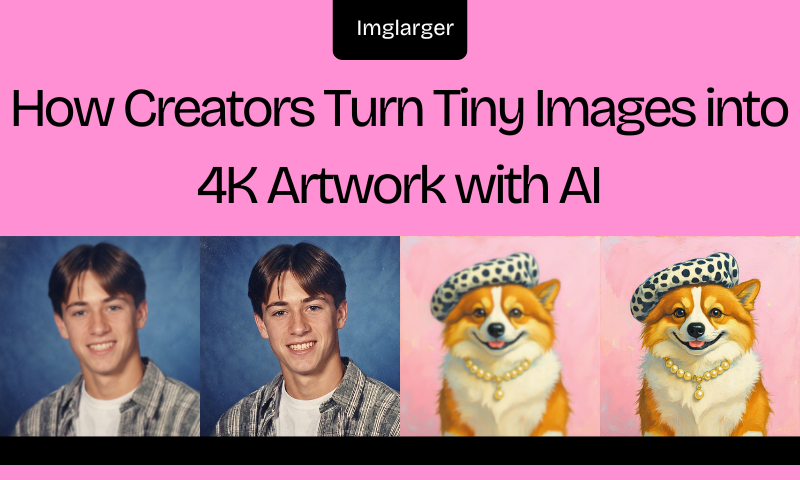
Have you ever created a stunning piece of digital art, only to find that it's too small to print, share professionally, or use in high-resolution projects? This is a frustrating experience that many artists, designers, and content creators can relate to. Low-resolution files limit hours of creative effort.
Have you tried any solutions to this problem? Beyond using image editing tools, there's now a more efficient method: leveraging AI. Modern AI upscaling technology can transform tiny images into stunning 4K masterpieces, intelligently reconstructing textures that traditional editing software cannot restore—all while preserving fine details.

Why Small Images Hinder Creators
Low-resolution images may look perfectly fine on a smartphone screen, but the problems become obvious when you try to use them elsewhere. Common challenges include blurry edges after resizing, pixelated textures, loss of fine details, poor print quality, and compression artifacts.
Whether you're working with AI-generated artwork, downloaded vintage illustrations, or logos designed years ago, small-sized images often become stumbling blocks in the creative process.

Why Traditional Upscaling Isn't Enough
For years, image editing software has relied on mathematical interpolation methods—such as bicubic or Lanczos interpolation—for image up-scaling. These techniques estimate new pixels based on neighboring pixels.
What's the result? Images become blurry, with noticeable jagged edges, distorted textures, and artificial sharpening—issues that make details appear unnatural. While traditional upscaling techniques can enlarge images, they rarely improve image quality.

How Creators Turn Tiny Images into 4K Artwork with AI
AI image upscaling technology works in a completely different way. AI super-resolution technology does not simply stretch pixels to enlarge an image. Instead, deep learning models intelligently analyze every object, texture, and edge.
Trained on millions of photos, illustrations, and digital artworks, these models predict realistic details that blend naturally with the original scene. AI can recognize: faces, strands of hair, animal fur, clouds, trees, fabrics, architecture, textures, and digital illustrations.
Based on its ability to recognize these elements, AI can, during image processing, restore sharp edges, optimize textures, remove digital noise, enhance facial details, improve image resolution, and preserve natural colors.
AI does not make blind guesses but reconstructs missing details in a natural and visually convincing way. As a result, the final generated images appear relatively natural.

From Smarter AI to Smarter Workflows
As AI image upscaling has become more accurate, creators are no longer looking only for better image quality—they also expect greater control over how their images are processed.
Whether working with personal photos, client assets, or commercial artwork, the ideal solution should combine powerful AI enhancement with a workflow that is fast, reliable, and secure. This growing demand has led many artists, photographers, and designers to choose desktop AI upscaling software.
Running AI models locally not only delivers high-quality results without relying on an internet connection but also keeps sensitive files on the user's own computer throughout the entire enhancement process.
Choosing the Right AI Image Upscaler
Not every AI tool delivers identical results. Before selecting a platform, consider these important features:
- High-Quality 4K Output: Choose software that can produce high-resolution images without excessive artifacts.
- Face Enhancement: Portraits deserve extra attention. Strong facial restoration creates more natural expressions.
- Noise Reduction: Cleaner images always appear more professional. Therefore, automatic denoising is extremely valuable.
- Fast Processing: Waiting several minutes for each image slows productivity. Faster tools improve the creative experience.
- Batch Upscaling: Creators often process dozens of images simultaneously. Batch support saves valuable time.
Why Offline AI Enhancement Is Becoming More Important
Privacy has become one of the biggest concerns in today's digital world. Many online image editors require users to upload personal photos to remote servers before processing them. While convenient, this approach isn't always ideal for sensitive images such as:
- Family photographs
- Legal documents
- Medical records
- Business presentations
- Confidential design projects

Offline AI enhancement offers a different experience. Instead of sending images to cloud servers, desktop AI software performs the entire enhancement process locally, allowing creators to keep complete control over their files while benefiting from faster processing and reduced privacy concerns.
As offline AI tools continue to mature, they are becoming an increasingly popular choice for photographers, designers, digital artists, and businesses that regularly work with high-value or confidential images.
Applications like Upscal perform AI processing directly on your computer, meaning your images never need to leave your device.
Why Upscal makes the Process Easy
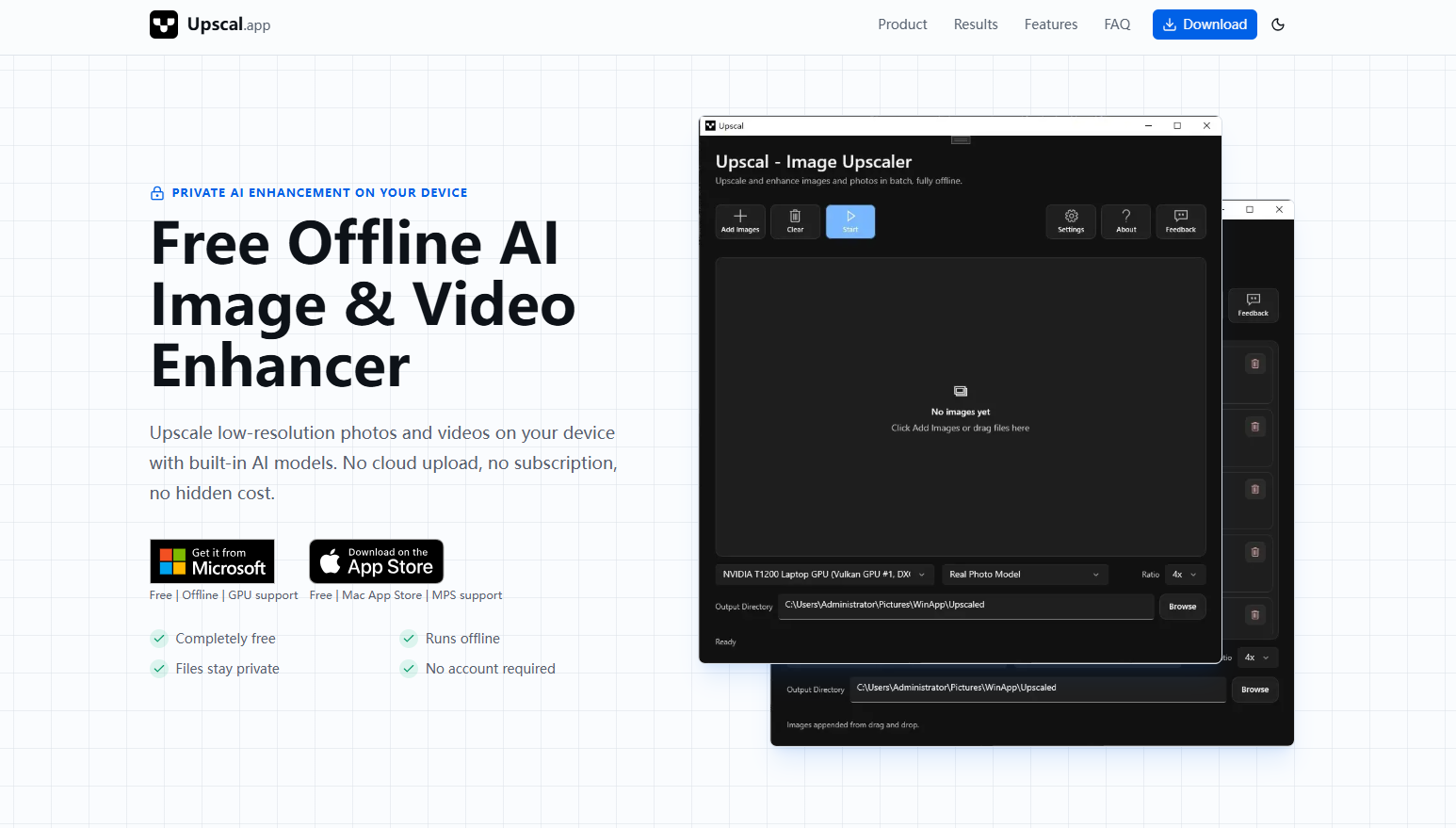
For creators who want professional-quality results without a steep learning curve, Upscal.app offers a fast and intuitive solution. It combines advanced AI super-resolution with intelligent detail reconstruction to help transform small images into sharp, vibrant 4K artwork.
Whether you're enhancing digital paintings, AI-generated illustrations, photographs, or concept art, the app makes high-quality upscaling accessible with just a few clicks. Even better, its offline processing helps protect your privacy while delivering fast performance on your own device.
How to Use Upscal to Enlarge Images
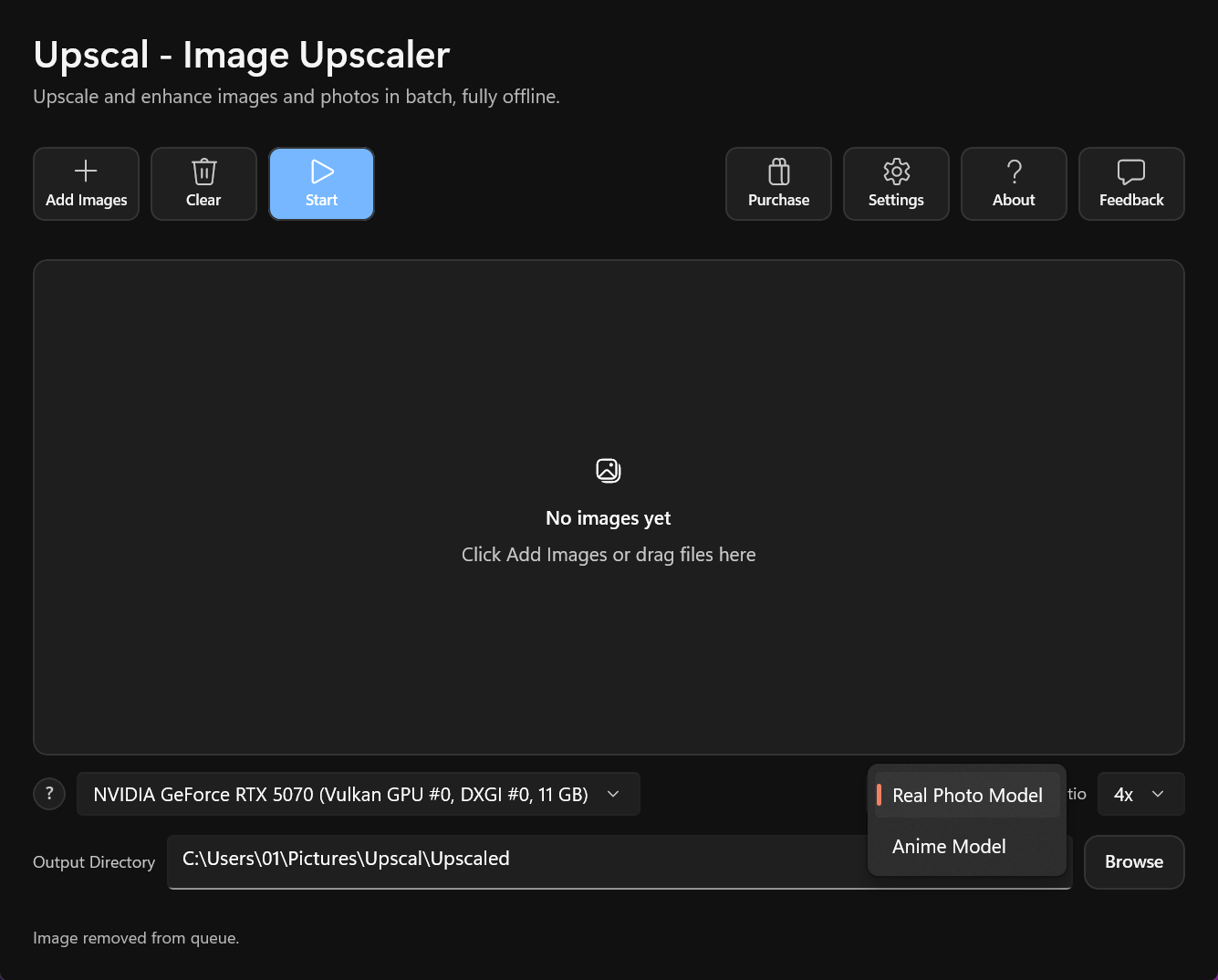
Getting started with Upscal requires only a few simple steps. Its clean desktop interface makes the AI image upscaling approachable for both beginners and experienced creators.
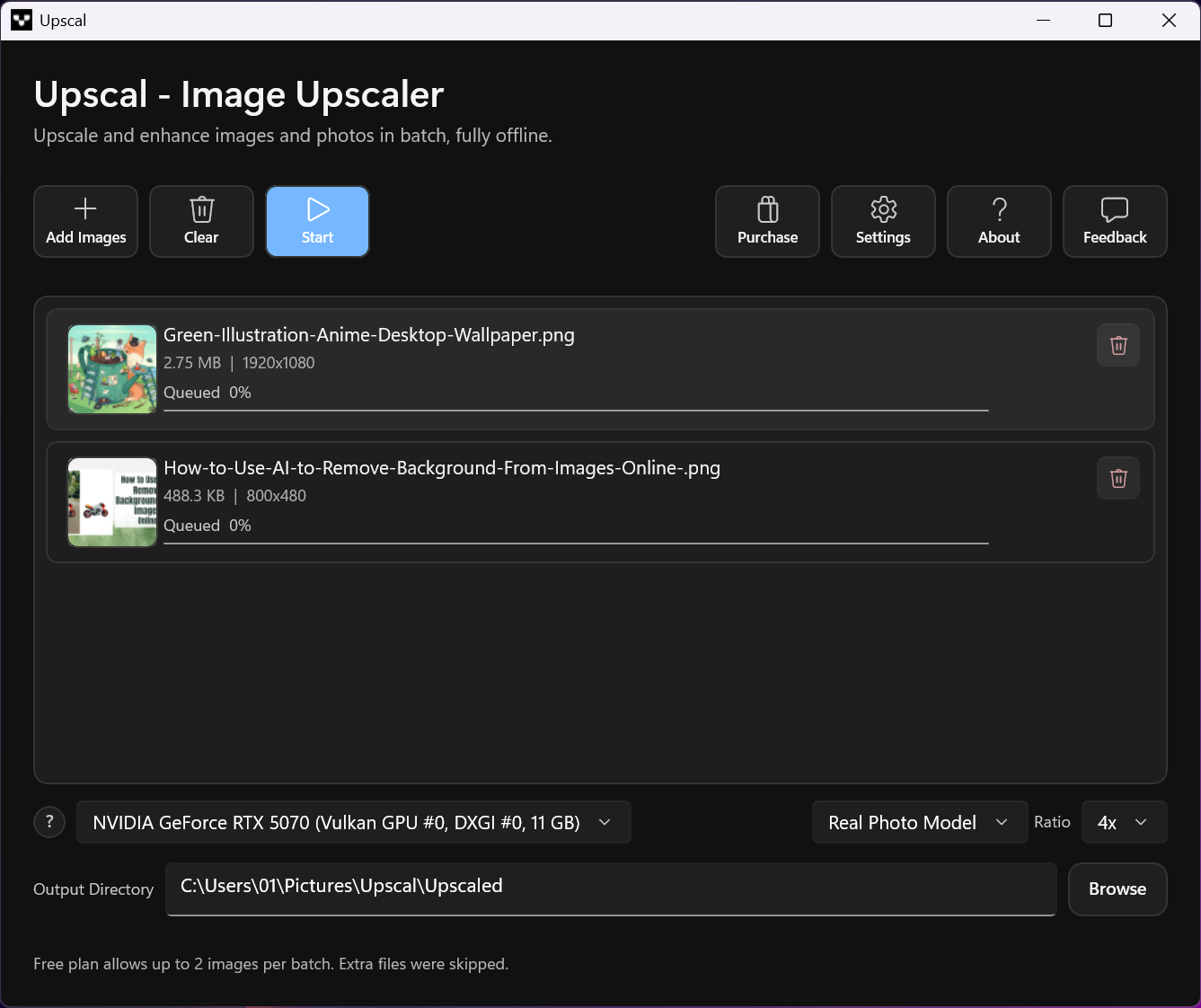
- Step 1: First, go to Upscal.app to download the app. Once the download is complete, open Upscal. After opening the app, click the "Add Image" button to add the photo you want to process.
- Step 2: Select the model that matches your image type. Currently, we're selecting "Real Photo Model." Next, choose the magnification factor (2x or 4x), then preview the file's save location.
- Step 3: To start processing the image, click "Start" and wait a few seconds for the process to complete. Click the small eye icon next to the image to preview it.
- Step 4: Once you've finished previewing, click the folder icon to download and save the image to your device.
From Small Sketches to Professional Digital Art
Many artists begin with rough concepts or small drafts. Unfortunately, these files often become too small for printing or commercial projects. AI eliminates that limitation.
Artists can upscale concept art into detailed 4K illustrations while maintaining clean lines and vibrant colors. Consequently, they spend less time redrawing their work. This allows creativity to flow without technical barriers.
Breathing New Life into AI-Generated Images
AI art generators create amazing visuals quickly. However, many exported images remain relatively small. Creators frequently need larger versions for: Posters, Canvas prints, Book covers, Presentations, Online stores, Marketing campaigns. Instead of generating new artwork repeatedly, AI upscalers increase resolution while preserving artistic style. As a result, every masterpiece becomes ready for professional production.

Saving Precious Memories with AI
Old family photographs often exist only as faded prints or tiny scans. Every scratch tells a story. Every smile captures a priceless memory. AI enhancement helps restore these emotional moments.
Besides increasing resolution, modern tools also repair damage, reduce blur, and sharpen facial details. Consequently, treasured memories become vibrant once again. Many families now preserve generations of photographs using AI restoration technology.

Helping Content Creators Stand Out
Competition grows stronger every day. Therefore, visual quality matters more than ever. Content creators rely on eye-catching images across multiple platforms.
Whether creating YouTube thumbnails or Instagram posts, sharp visuals attract more attention. AI image upscaling allows creators to: Produce clearer content, improve branding, increase viewer engagement, build professional portfolios, and create consistent visual quality.

Better images often lead to stronger first impressions.
- The Speed Advantage of AI
Traditional editing requires patience and experience. Manual sharpening, noise reduction, and resizing can consume hours.
- AI changes everything.
Most modern upscalers finish processing within seconds. Meanwhile, creators remain free to focus on storytelling instead of technical adjustments. Because of this efficiency, creative workflows become significantly faster.

Creative Possibilities Continue to Expand
AI continues evolving rapidly. Today, creators can enlarge artwork, restore photographs, enhance illustrations, and prepare commercial designs effortlessly.
Tomorrow, AI will likely deliver even more realistic textures, improved lighting reconstruction, and smarter detail generation. As technology advances, creative freedom expands alongside it.

Conclusion
Tiny images no longer limit imagination. Instead, they become the starting point for extraordinary creations. AI image upscaling transforms blurry files into stunning 4K artwork with impressive speed and remarkable accuracy.
Moreover, it empowers creators to preserve memories, improve digital art, and produce professional-quality visuals effortlessly. Every pixel carries potential. With AI, even the smallest image can become a masterpiece that inspires, captivates, and tells its story in breathtaking detail.