How Creators Can Stay Safe Using AI Tools
This guide outlines simple, practical steps to help creators use AI tools safely while keeping their work and online identity protected.
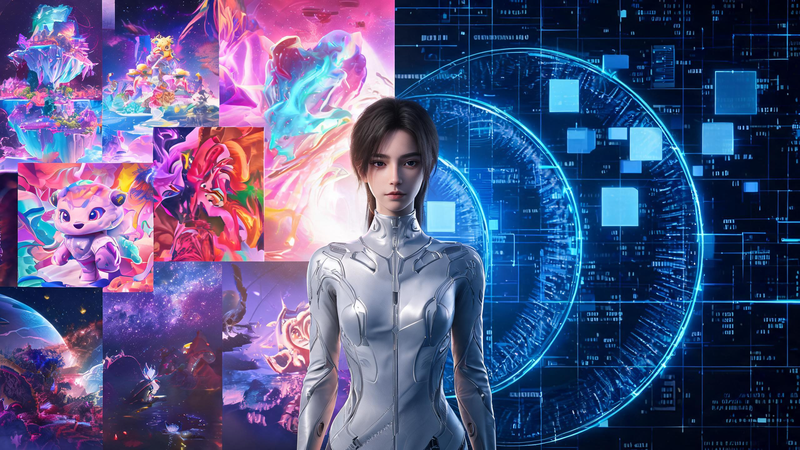
AI has completely transformed how digital creators work today. You can upscale images, remove backgrounds, generate visuals from scratch, restore old photos, and even create short videos using AI video tools—all in just a few clicks. Tasks that once required advanced skills and expensive software are now fast, accessible, and scalable.
From AI image generators to AI-powered video tools, creators now have more ways than ever to produce high-quality content efficiently. However, while these tools unlock incredible creative potential, they also introduce important security risks that are often overlooked.
Every time you upload an image, generate content, connect cloud storage, or log into an AI platform, you are sharing data that could be valuable if exposed. Identity theft, phishing attacks, and account takeovers are no longer limited to large organizations—they increasingly affect independent creators, freelancers, and small teams.
This guide explores essential cybersecurity practices to help you safely use AI image tools and AI video tools, so you can protect your personal data, creative assets, and online identity while continuing to create with confidence.
Why AI Workflows Create New Security Risks
Most AI tools—including AI image editors, AI image generators, and AI video tools—operate in the cloud. When you upload a file or generate content, it is processed on remote servers before being delivered back to you.
While this makes powerful features accessible without high-end hardware, it also means your files are no longer stored only on your local device.
Images and videos may contain hidden data such as:
- GPS location information
- Device and camera details
- Timestamps
- Background elements revealing personal or client information
For creators who rely heavily on AI tools, losing access to an account or exposing sensitive content can directly impact income, client trust, and reputation.
Understanding Identity Theft in the Creator Economy
Identity theft has become more sophisticated in the creator space. Attackers no longer focus only on financial data—they now target:
- Social media accounts
- Creator portfolios
- AI tool accounts
- Email and cloud storage access
These assets can be used to impersonate creators, scam audiences, or gain access to additional platforms.
A compromised account connected to AI image tools or AI video tools could expose unpublished content, client files, or commercial assets.
Attackers often combine publicly available information with leaked credentials, making phishing attempts and account takeovers more convincing. This makes proactive security an essential part of every creator’s workflow.
Protect Your Online Identity
As your audience grows across platforms, your name, content, and creator profiles become increasingly valuable. Unfortunately, this also makes creators more attractive targets for impersonation, phishing attempts, and account takeovers. Understanding how to protect your online identity is an essential part of working safely with AI image tools and AI video tools. From securing login credentials to recognizing suspicious activity, taking proactive steps can significantly reduce your exposure to common threats. By building strong security habits early, creators can avoid many of the risks that come with managing multiple platforms, cloud-based tools, and digital assets.
A Cybersecurity Checklist for AI Content Creators
Using AI tools safely doesn’t require technical expertise. A few consistent habits can significantly reduce your risk.
1. Use Strong Authentication
Every AI platform you use—whether it’s an AI image generator or an AI video tool—should have a unique password.
Enable multi-factor authentication (MFA) whenever possible. Even if your credentials are compromised, MFA adds an extra layer of protection.
2. Be Careful What You Upload
Before uploading any image or video:
- Remove metadata (EXIF data)
- Check for visible personal or sensitive details
- Avoid uploading confidential client materials
This is especially important when using AI image generators or enhancement tools, where files are processed externally.
A quick review takes less than a minute but can prevent serious data exposure.
3. Verify AI Platforms Before Using Them
Not all AI tools follow the same security standards.
Before using an AI image generator or AI video tool, check:
- Privacy policies
- Data storage practices
- File retention and deletion policies
Trustworthy platforms clearly explain how your content is handled, giving you more control over your data.
4. Watch for AI-Themed Phishing Attacks
As AI tools grow in popularity, phishing scams are increasingly disguised as:
- Invitations to test new AI image generators
- “Free premium” AI tools
- Early access to AI video features
Before clicking any link:
- Verify the sender
- Double-check URLs
- Avoid unexpected downloads
- Never enter login credentials through unknown links
5. Use Secure Internet Connections
Uploading images or generating videos over public Wi-Fi can expose your data.
When working remotely:
- Avoid uploading sensitive content on public networks
- Use secure, encrypted connections whenever possible
6. Protect Client and Commercial Content
Many creators use AI tools for client work, including image enhancement, content generation, and video production.
Before uploading:
- Review client agreements
- Avoid sharing confidential materials on unsecured platforms
- Consider more secure workflows for sensitive projects
Strong data practices help build long-term client trust.
7. Keep Your Tools Updated
Regularly update:
- Browsers
- Operating systems
- AI image tools and AI video tools
Updates often fix vulnerabilities that attackers actively exploit. Enabling automatic updates is one of the easiest ways to stay protected.
8. Build Long-Term Security Habits
Cybersecurity should be part of your creative routine.
Make it a habit to:
- Monitor account activity
- Remove unused integrations
- Back up important files
- Update passwords regularly
As AI tools continue to evolve, consistent habits are your best defense.
9. Building a Secure AI Creative Workflow
AI image generators and AI video tools are becoming essential parts of modern content creation. As these tools evolve, security should be integrated into your workflow—not treated as an afterthought.
By combining creative efficiency with smart security practices, creators can fully leverage AI without exposing themselves to unnecessary risks.
Conclusion
AI tools have made content creation faster, easier, and more powerful than ever. From generating images to producing videos, creators now have access to capabilities that were once unimaginable.
However, with this convenience comes responsibility.
By understanding the risks, securing your accounts, carefully managing uploaded content, and choosing trustworthy AI platforms, you can confidently use AI image generators and AI video tools while protecting your data and creative work.
The goal isn’t to limit your creativity—it’s to ensure that your creative process remains both productive and secure as AI continues to shape the future of digital content.